
⚠️ ADMIN ACCESS REQUIRED⚠️
If you do not have Admin access, please reach out to client services via the chat icon or at clientservices@gapmaps.com for assistance.
What are Location Types?
Location Types are folders that fall under Business Units in your Company Locations. The intention of Location Types is to allow you to mirror your internal pipeline in GapMaps.
Depending on your business, you might only need Location Types like: Existing, Closed and Proposed or you may have other needs.
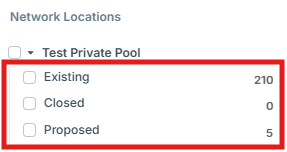
How to Create New Location Types
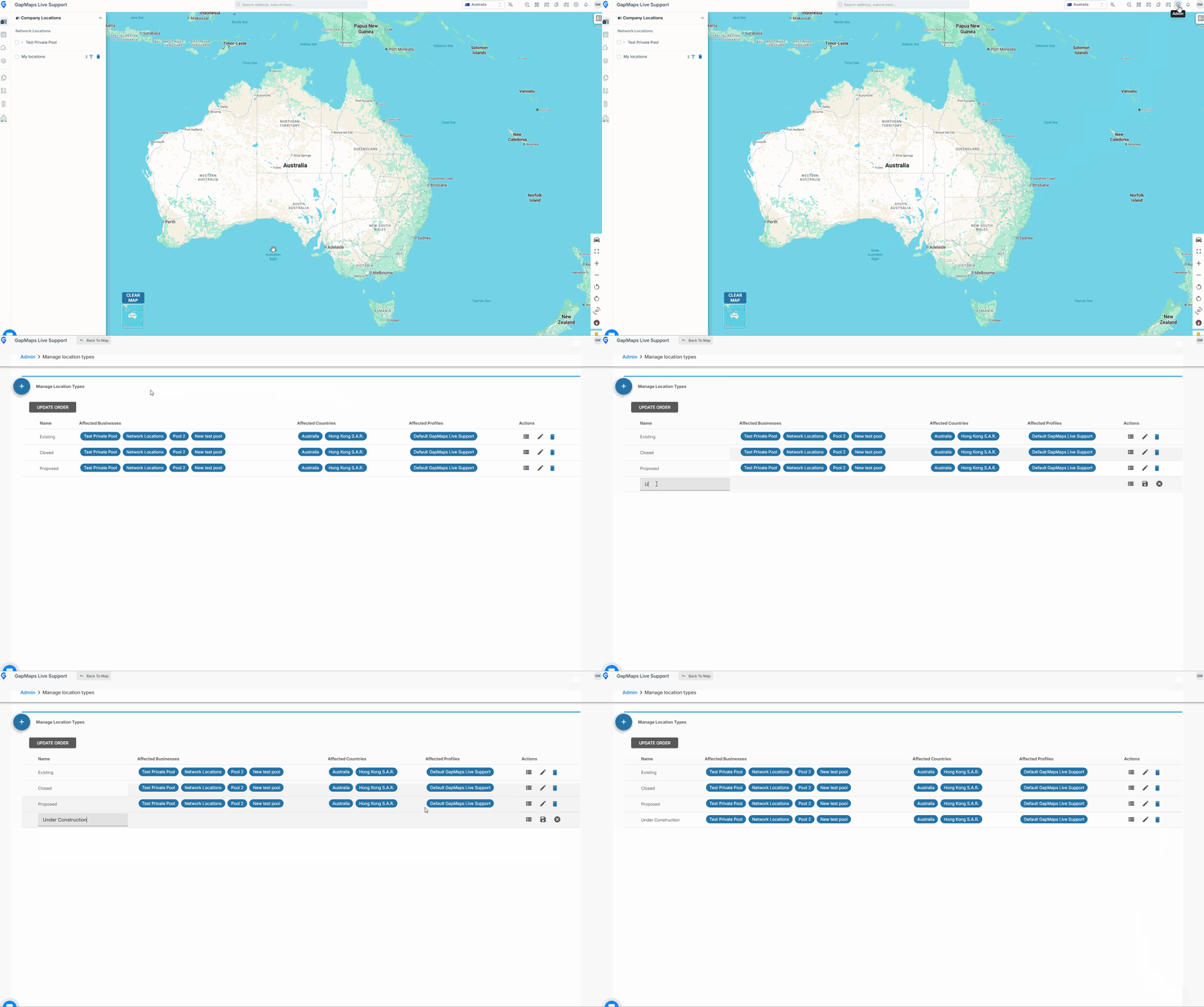
Go to 'Admin'
- Click 'Manage Location Types'
- Click the '+'
- Enter the title of your new location type
- Click 'Save'
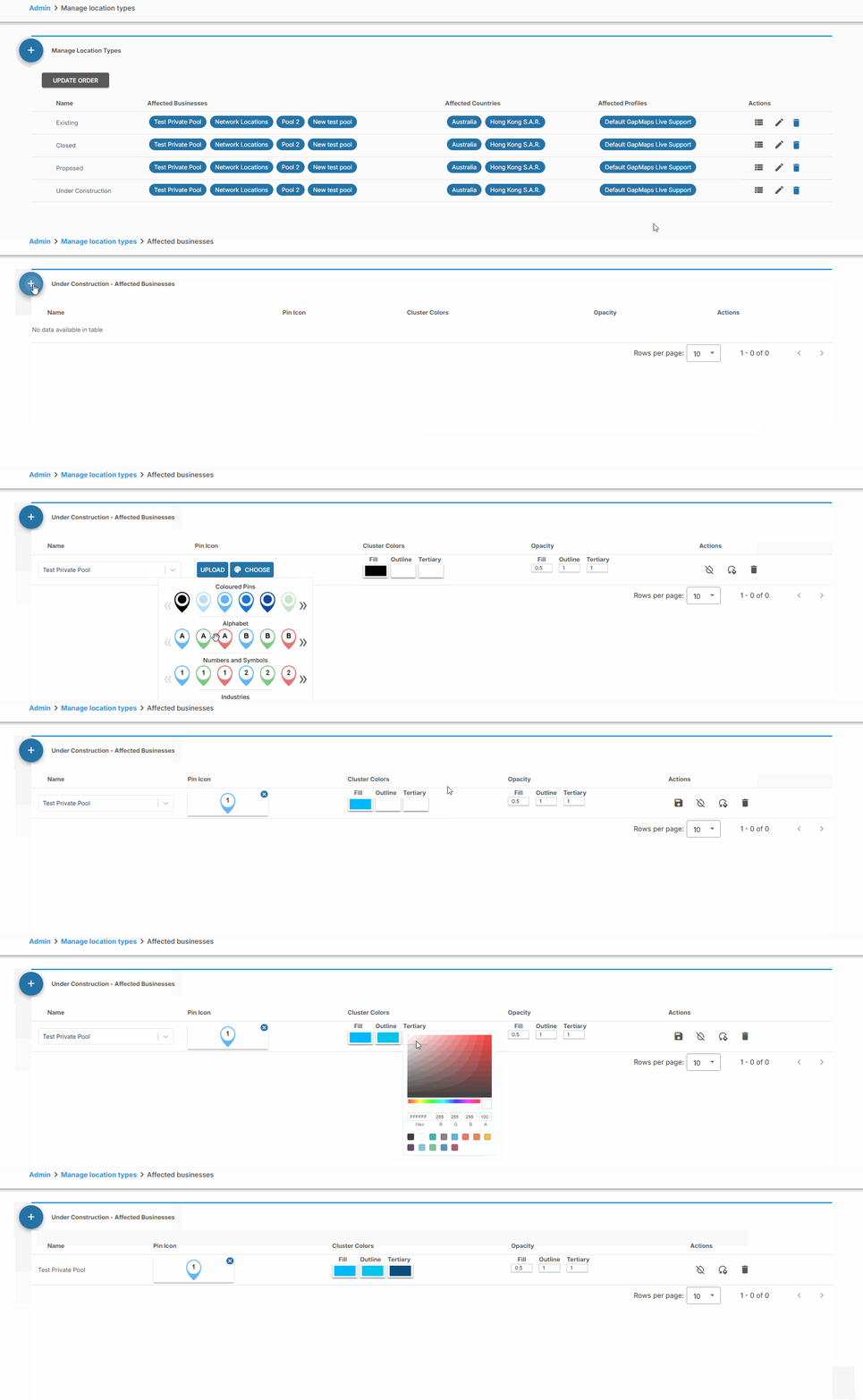
- Click 'Configure business pins'
- Click the '+'
- Select the business pools you want the location type assigned to
- Select a pin by clicking 'Choose'
- Choose cluster colours
- Click 'Save'
You will need to click the 'Back to Map' button and wait for the new location type to appear on the left hand panel in your company locations before you can import locations. add metadata or assign this location type to a User Profile.