
Business Locations are competitor and reference brand locations across various industry sectors.
*If you would like to change which business listings are on your account, please contact your Client Services Manager.
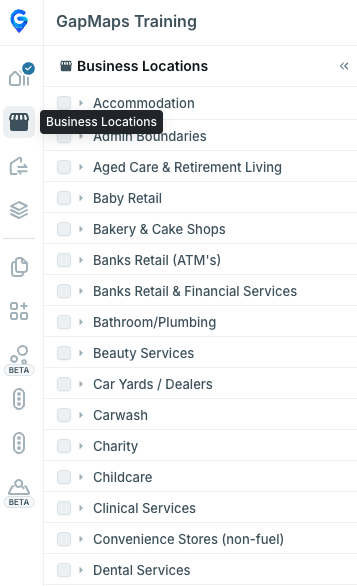
Accessing and Visualising Business Locations
Click on the Business Locations icon on the left of the screen
- Select an industry sector to see each individual brand within the category
- Select either an entire industry sector or individual brand(s), to visualise by clicking the check boxes. Categories with a significant number of locations cannot all be toggled on at once
- The number to the right side of each brand signifies the number of locations in the network for that country
- Hover over a number on the right-hand side of a brand (where the amount of sites is over 1k) to see the exact number of sites
** If you wish to export a report of these locations within a catchment, see the ‘Business Exports’ guide.