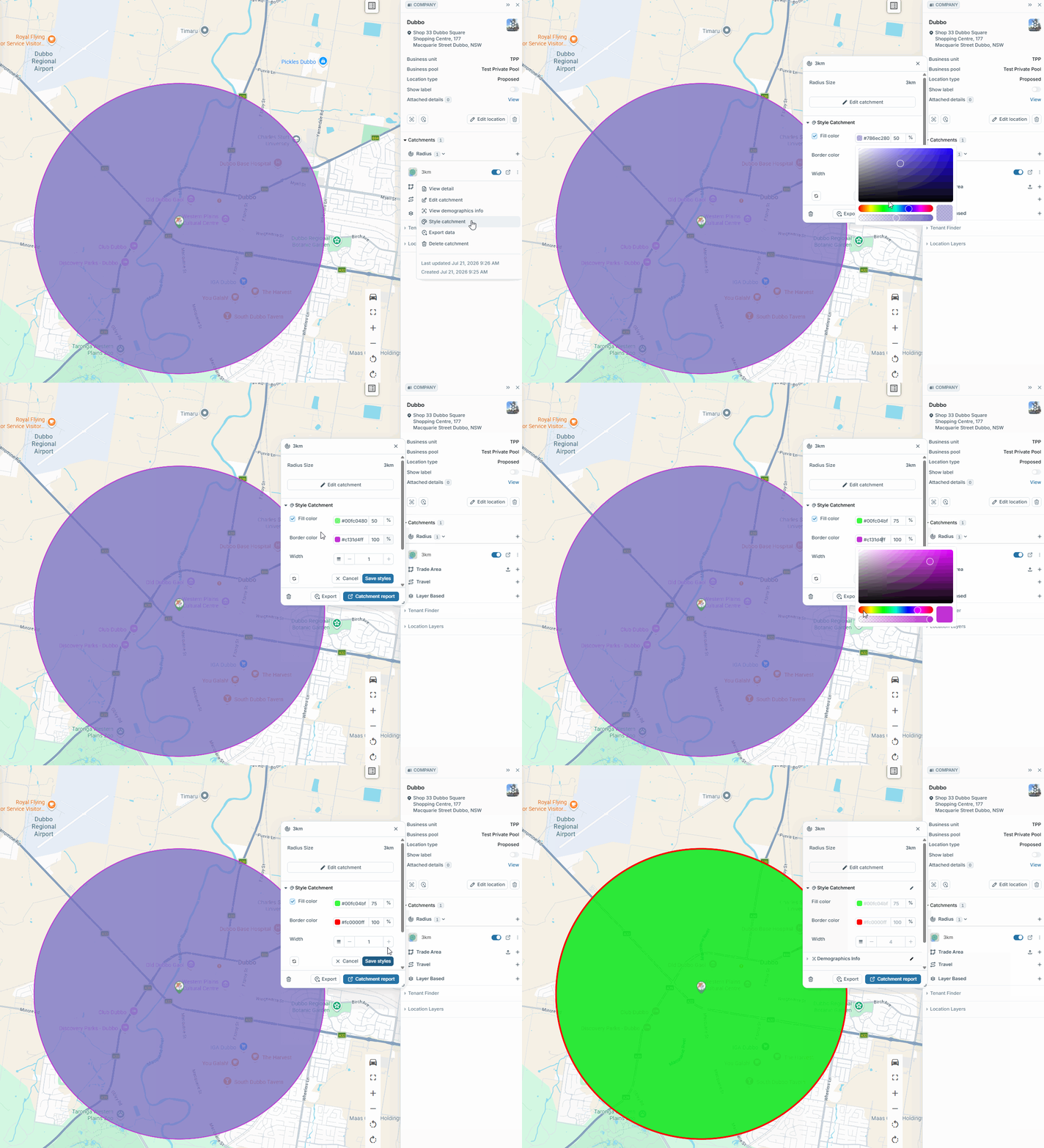
Catchment styles allow you to customise individual catchments to suit your desired look and feel.
Note: The styling made to the catchment is specific to the catchment it is saved to. It does not apply to all catchments.
Modifying your Catchment Style
Click a pin, expand the catchments section and select ‘Style catchment’ on the catchment you wish to edit. Click the ‘edit’ symbol next to “Style catchment”
The Catchment Style menu is broken down into 3 sections;
- Fill Colour - Changes the colour using a colour picker. You are also able to change the catchment opacity %
- Border Colour - Changes the colour of the outline. You are also able to change the border opacity %
- Outline Width - Changes how thick or thin the outline is.
Click “Save Styles”