⚠️ ADMIN ACCESS REQUIRED⚠️
If you do not have Admin access, please reach out to client services via the chat icon or at clientservices@gapmaps.com for assistance.
To invite a new user to your GapMaps account follow the steps below:
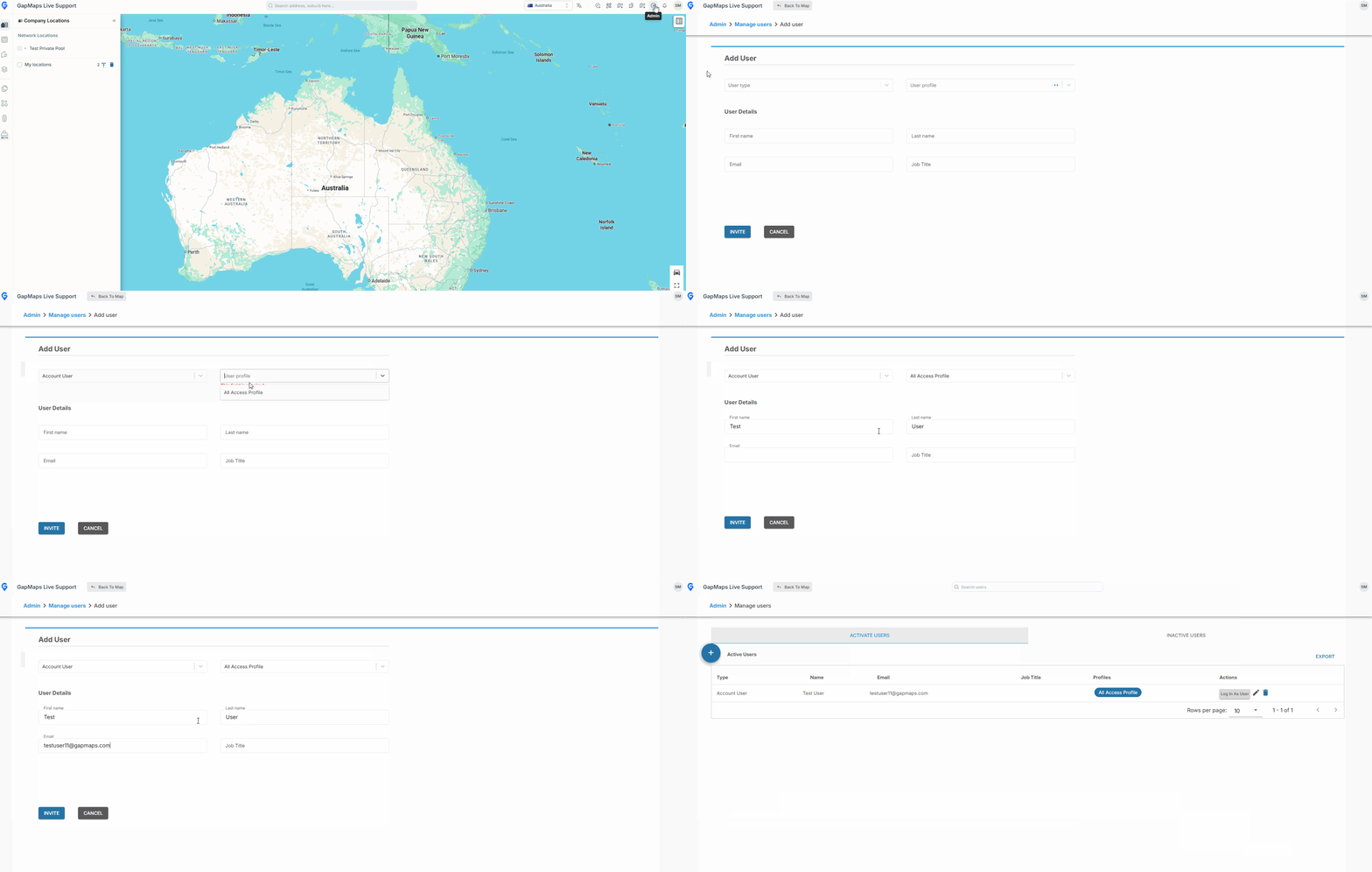
- Click on 'Admin'
- Click on 'Manage Users'
- Click the '+' button
- Select the user type (admin or standard access)
- Select profile type (see the user profiles guide)
- Enter the users first name, last name and email
- Click 'Invite User'
The user will then receive an email inviting them to join GapMaps. The invitation link will be valid for 5 days. Once the user clicks the link, GapMaps will prompt the user to set their password and they will then be able to use GapMaps.
Things to note:
'User Already Exists'
If you receive an error 'user already exists', that email may have previously been a GapMaps user and will need to be reinstated by speaking to us via the chat icon or emailing clientservices@gapmaps.com
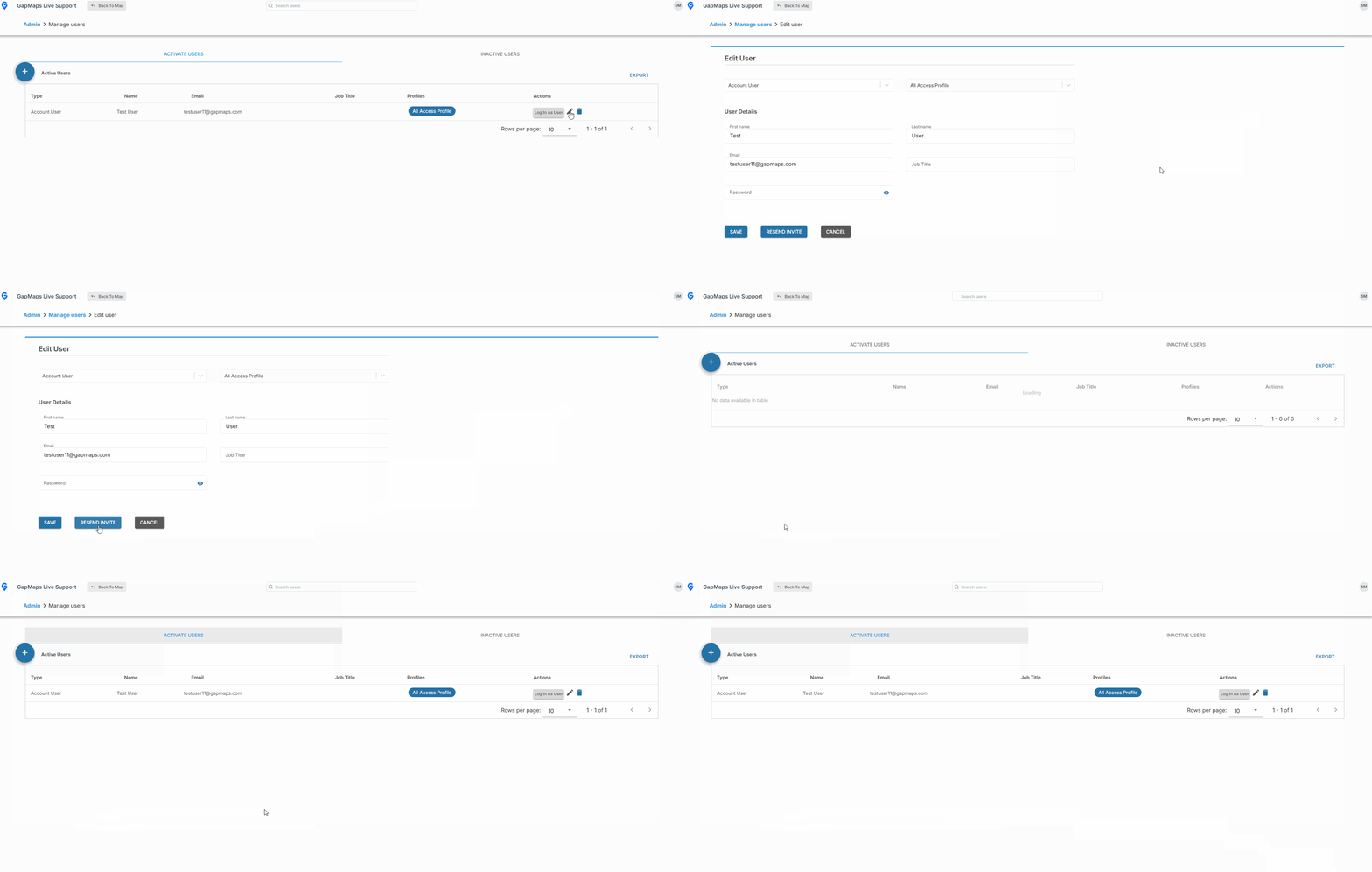
Resending Invitations
If a user doesn't activate their account within the 5 day period, the link will expire. To send the user a new one click 'Edit' on their user and then 'Resend Invite'