❕TIP❕
You can edit any catchment on any pin in GapMaps
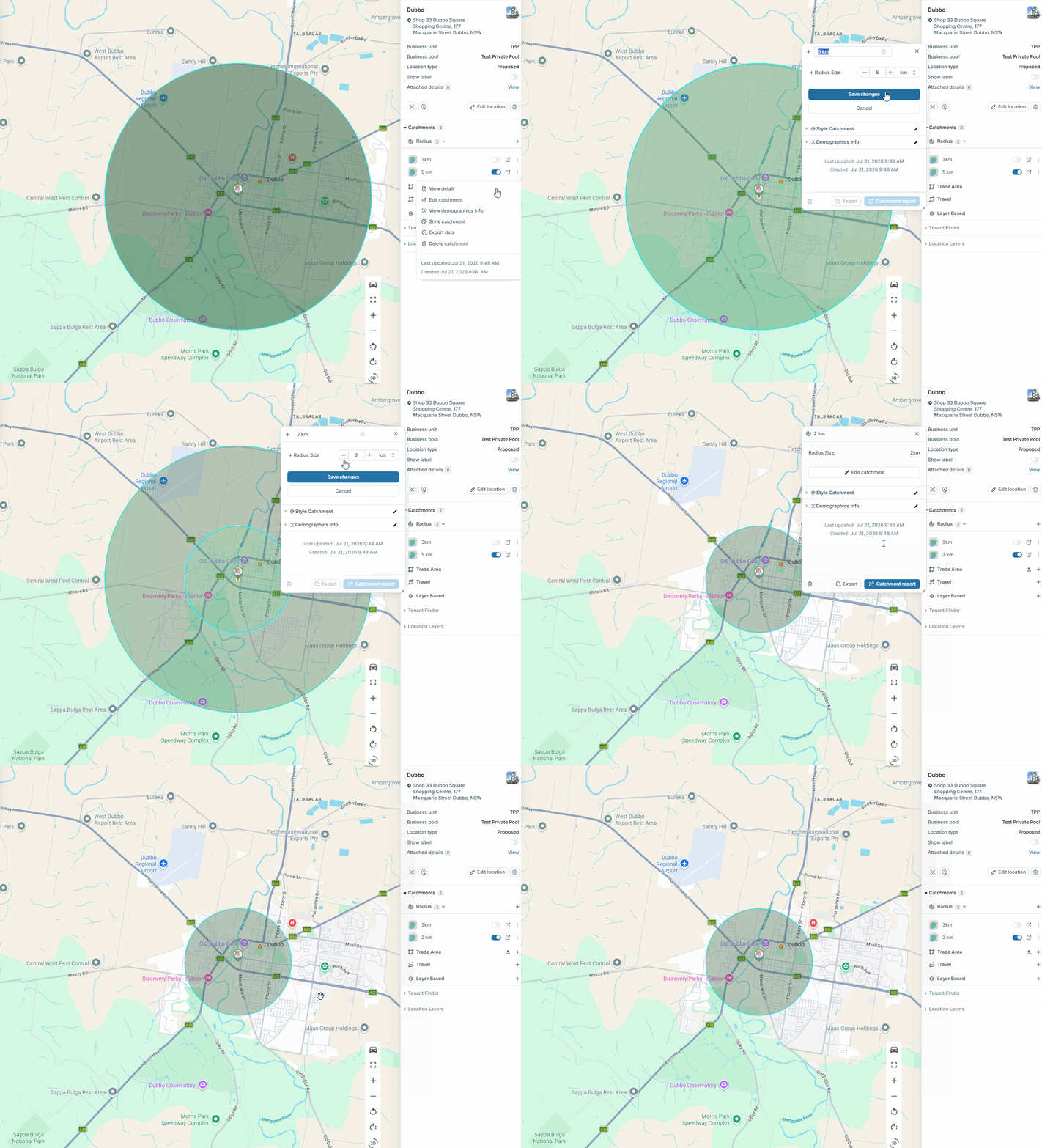
Editing Radius Catchments
- On any custom radius catchment click the 3 dots next to the catchment and then ‘Edit Catchment’
- Rename/resize the catchment and click 'Save changes'
- On any Trade Area catchment click the 3 dots next to the catchment and then ‘Edit Catchment’
- On any Layer Based Trade Area click the 3 dots next to the catchment and then ‘Edit Catchment’
⚠️ NOTE ⚠️
Be sure to update the name if you are editing the size of a catchment
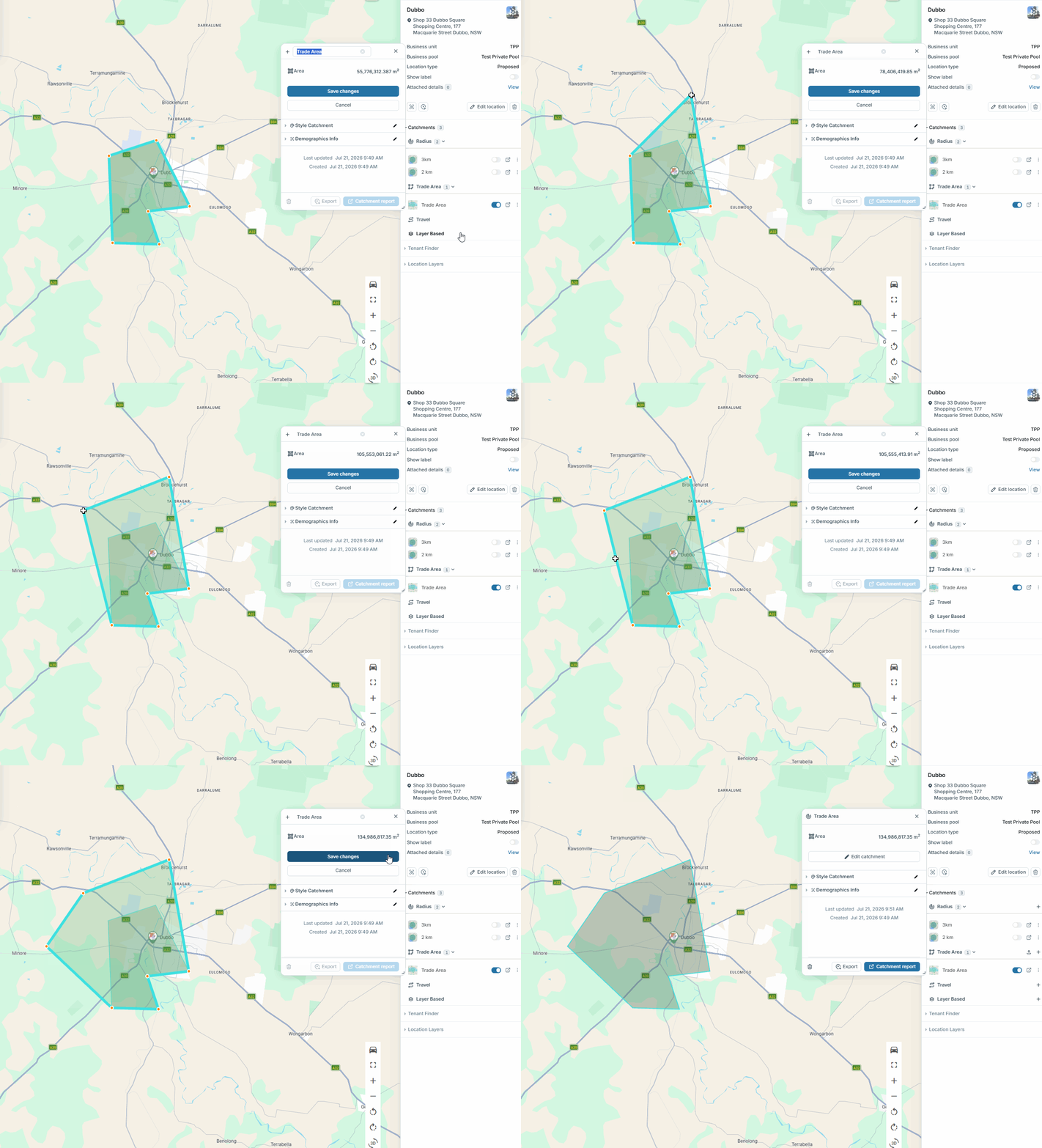
Editing Trade Areas
- Hover over the boundary of the catchment until an orange dot appears to add a new point or click and drag an existing orange dot to your desired location
- Click 'Save changes'
- To delete the Trade Area, click the 'Delete' symbol
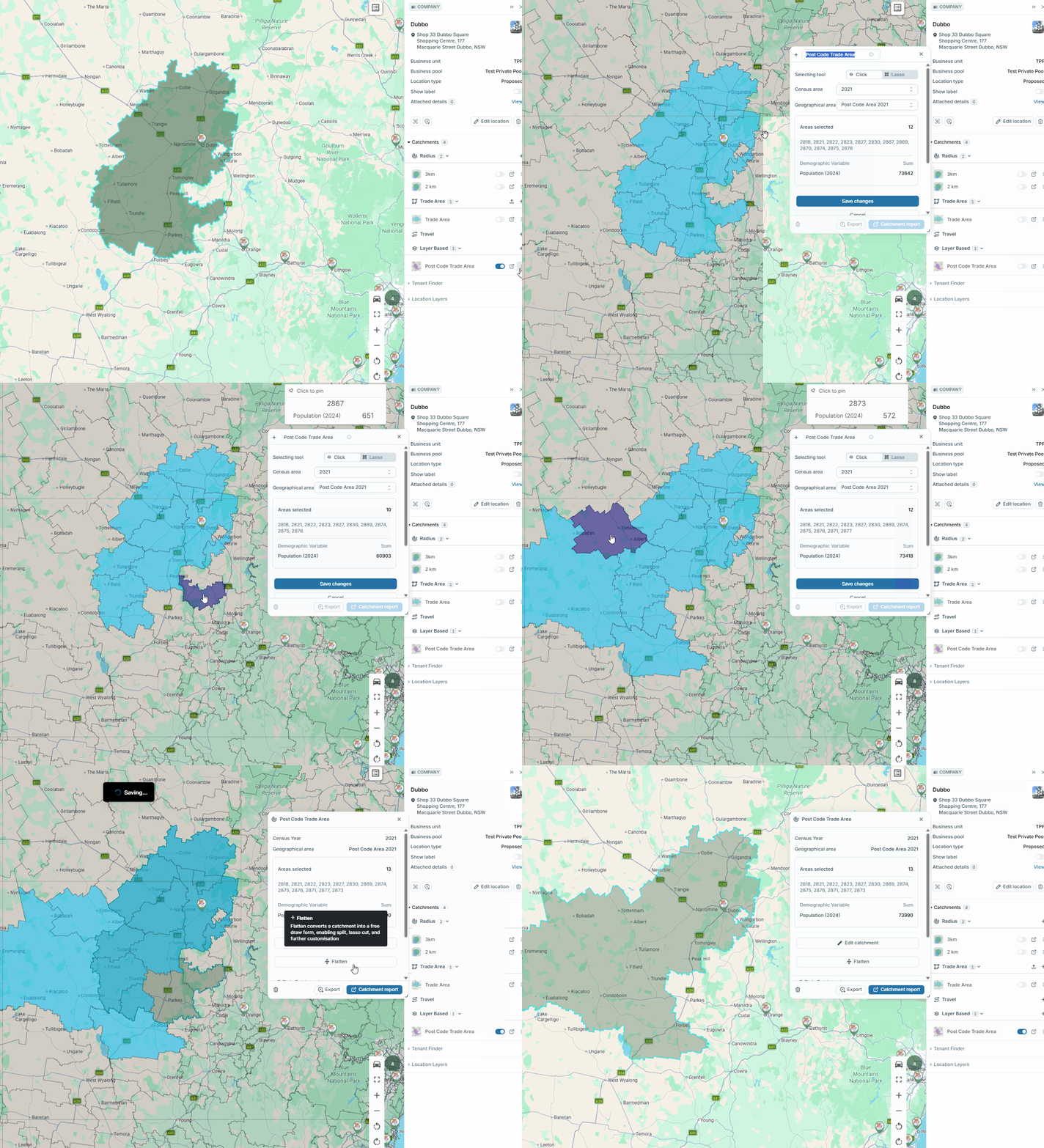
Editing Layer Based Trade Areas
- Adjust the name, census year, geographical area as needed
- To adjust which areas are included, click on an area on the map to add new ones or click on a blue area to remove it from the catchment
- Click the 'Delete' symbol to delete the catchment