
⚠️ ADMIN ACCESS REQUIRED⚠️
If you do not have Admin access, please reach out to client services via the chat icon or at clientservices@gapmaps.com for assistance.
What do I set up in this section?
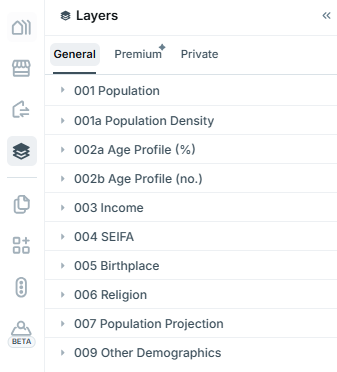
In 'Setup Layers', you can control what is displayed in the Layers Section of GapMaps.
For example. your business may have access to certain layers that you do not wish to be visible at all times. This section is where you are able to toggle them on/off.
⚠️ NOTE: General layers are not able to be managed by profiles, if a layer is switched on it will be visible to all users.
Accessing Setup Layers
-
Click on 'Admin' button
- Click on 'Business Setup' > 'Setup Layers'
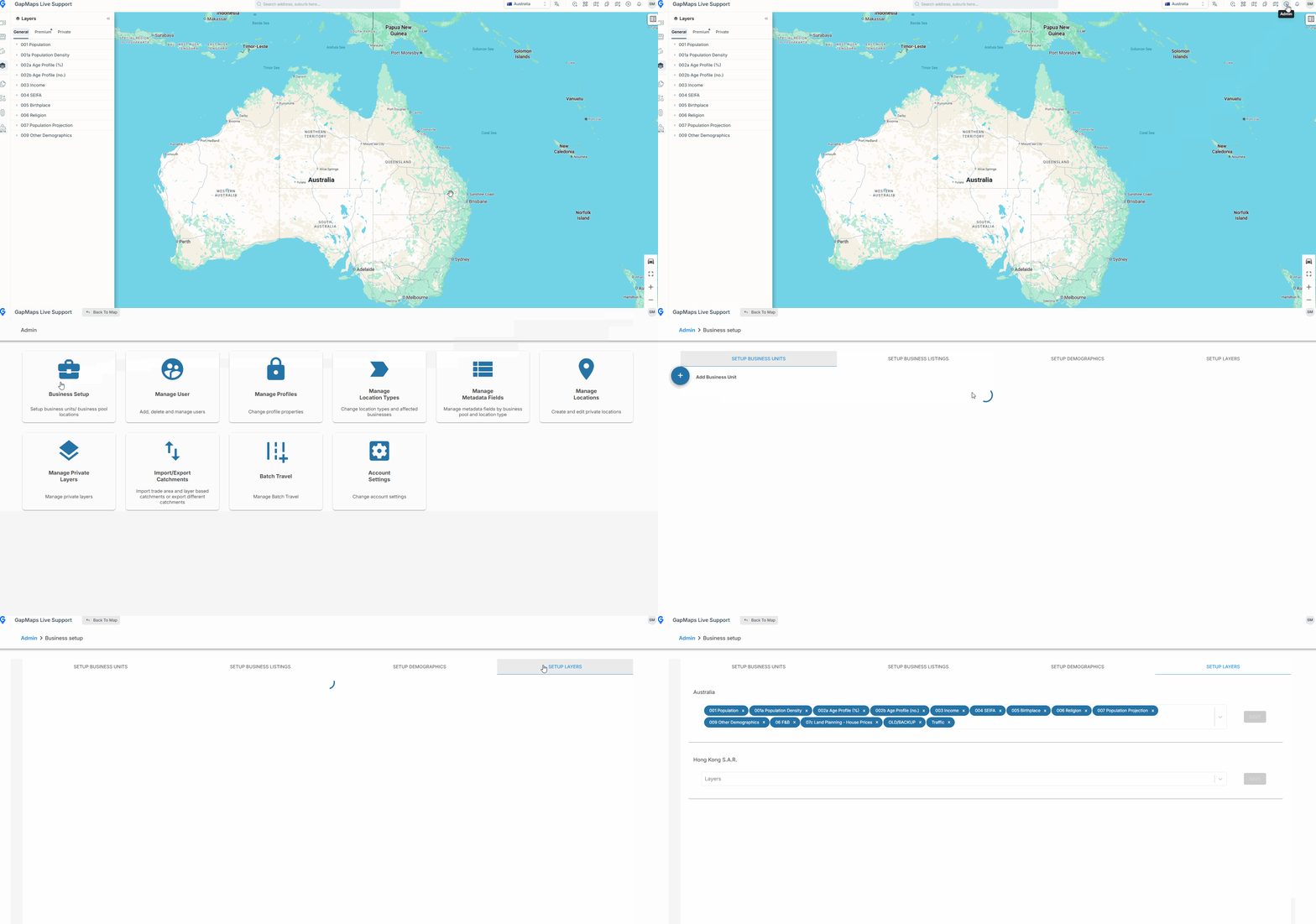
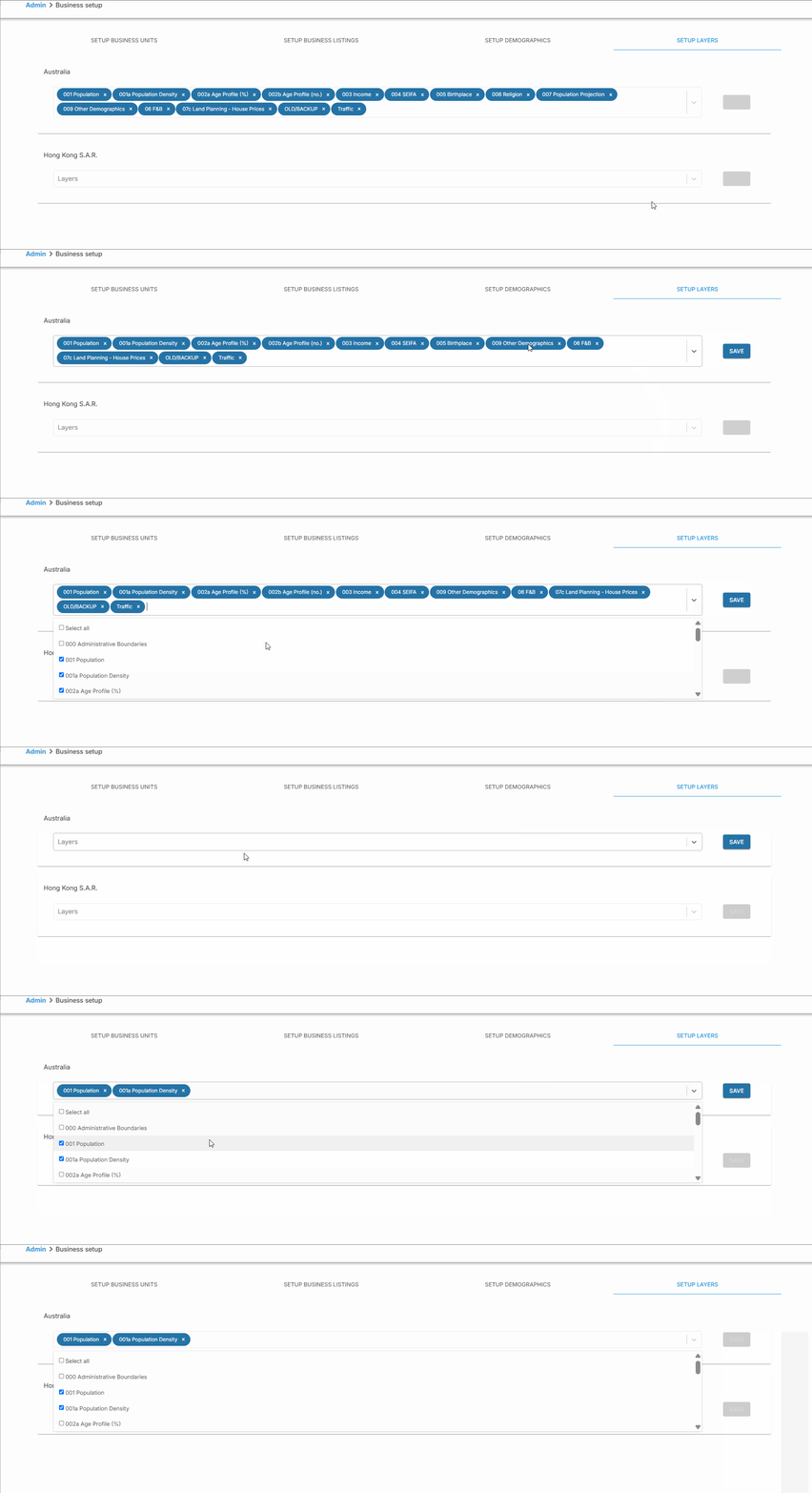
- Open the drop down for layers under the country you are working with
- Either remove Layers by clicking the 'x' from the drop down, add/remove layers by ticking/un-ticking them (or selecting all/removing all)
- Click 'Save'
- Now only the layers in blue in the drop down list will be visible layers section of GapMaps
⚠️ NOTE: Any Premium Layers will also need to be added to the User Profile before users are able to view these.