
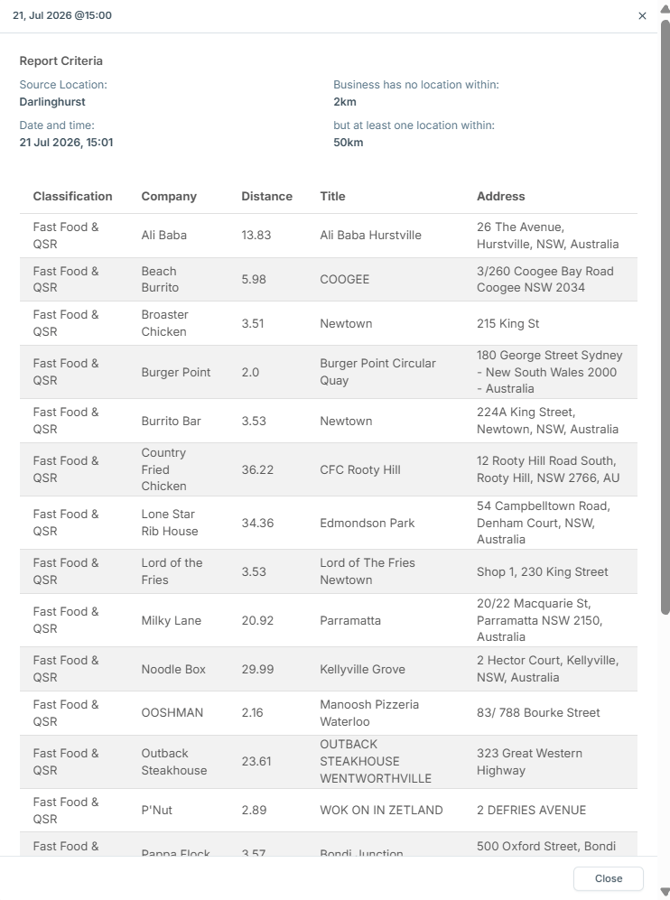
The Tenant Finder report allows you to understand which brands from a defined classification do NOT have sites within X kms (typically 2 - 5) from the selected location but DOES have sites within a larger X kms (typically 50+).
Who uses the Tenant Finder Report
Property Developers are the most common users of the Tenant Finder report.
Use Case
A property developer has an asset for a fast food location they wish to sell or lease to a fast food or QSR brand.
Their goal is to understand which Fast Food and QSR brands already have presence in the direct market (within 2km of the location) that they should not be approaching. The ideal brands to be approached are Fast Food and QSR brands that are present and known in the wider market (closest site more than 50km away).
Using the Tenant Finder Report, a list of Fast Food and QSR brands that meet these specifications will be returned for the Property Developer to use.
How to run a Tenant Finder Report
- Click a pin to open the right hand panel
- Expand 'Reports'
- Click 'Add' next to 'Tenant Finder Report'
- Add a Title, desired parameters and select one or more business classification
- Click 'Generate Report'
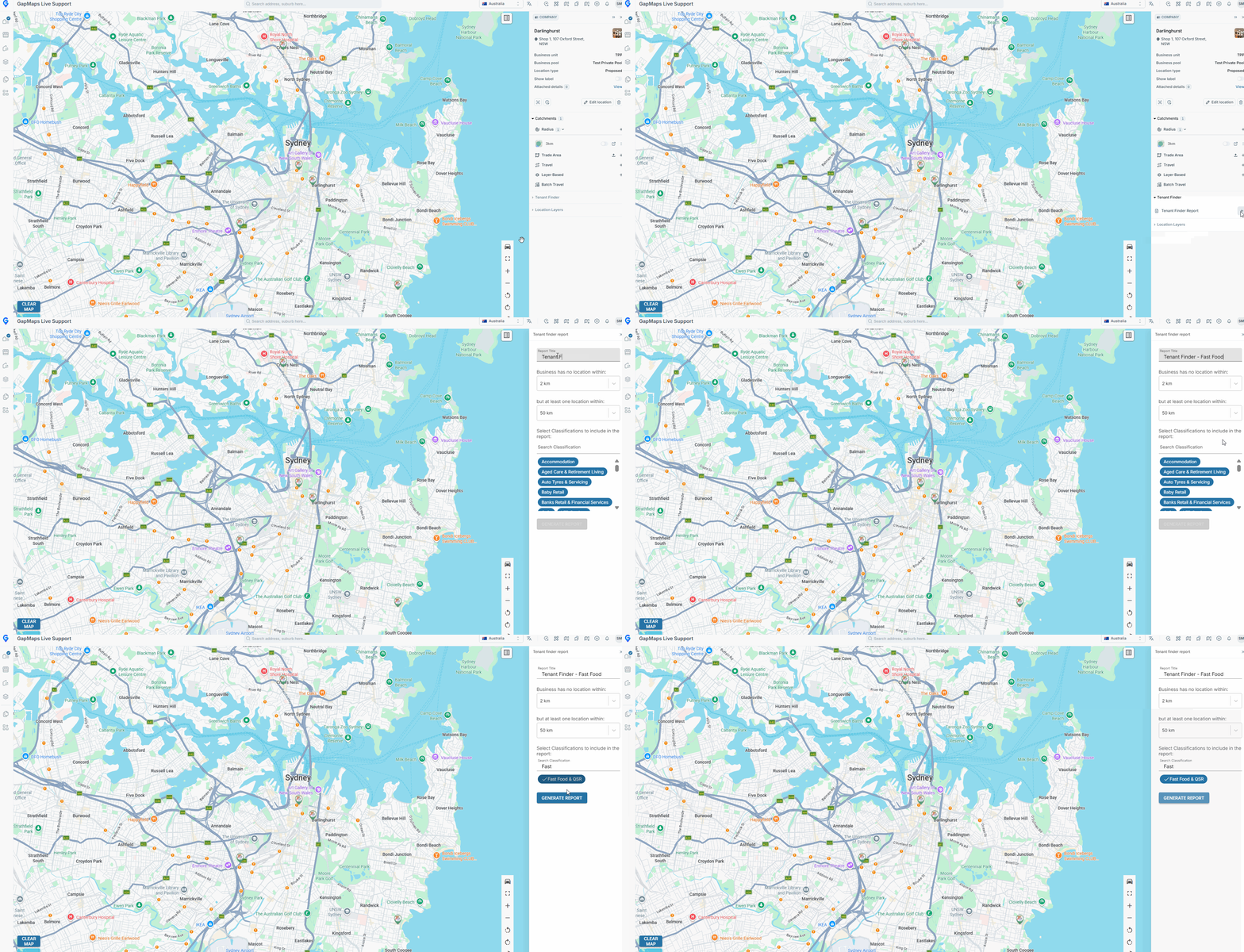
Once the report has generated, you will receive an email as well as a GapMaps Live Notification saying the report is ready to view in GapMaps.
How to view a Tenant Finder Report
- Click on the 'Reports' module on the left hand side
- Expand 'Tenant Finder Report'
- Click on the report
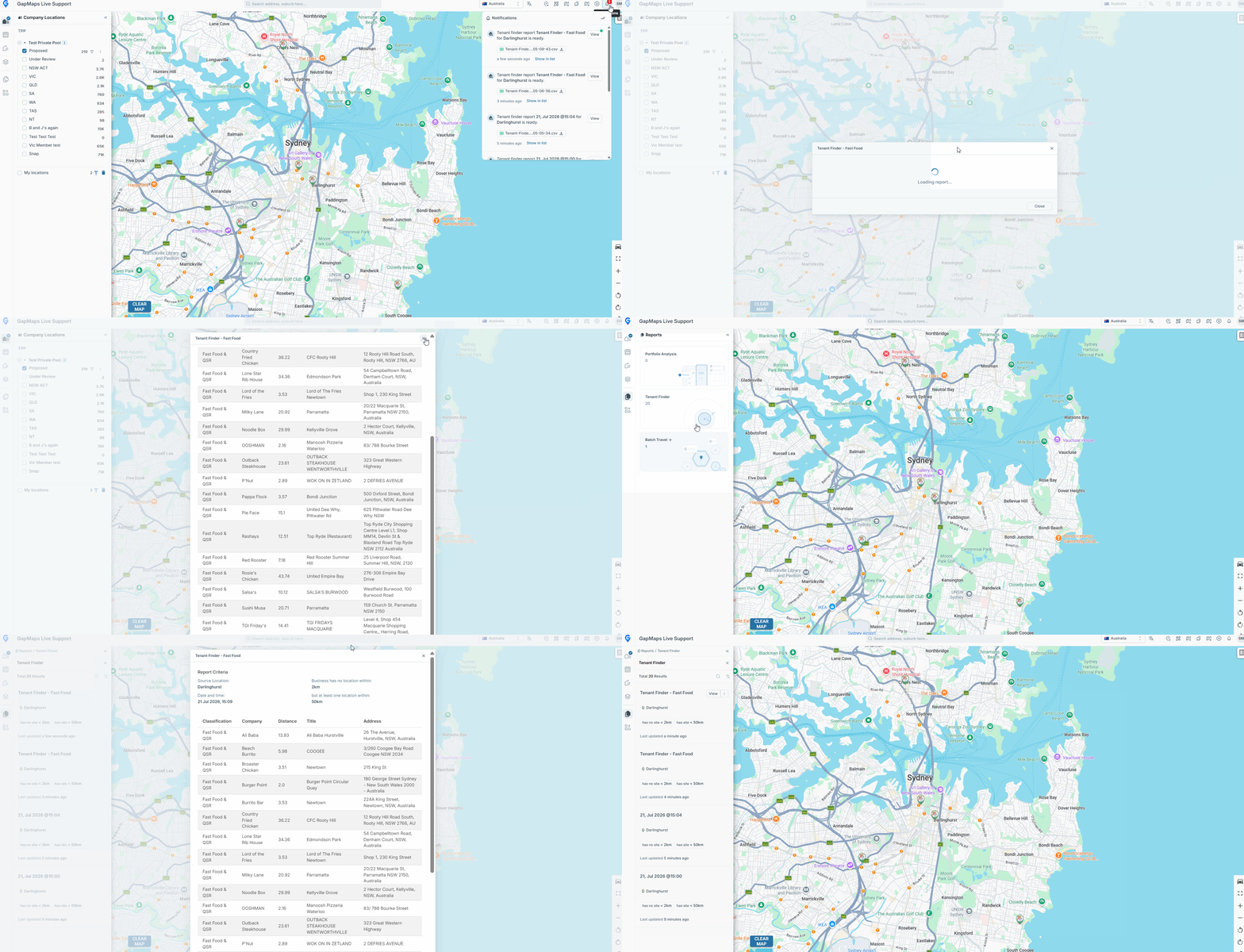
How to export a Tenant Finder Report
- Click on the 3 dots to the right of the 'View' button
- Click Export