
You can access Tools on all Company Locations, Business Locations and Generator Categories
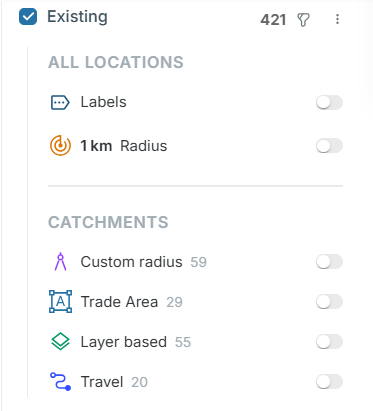
To access Tools:
- Select a category by clicking the checkbox
- Click the 3 dots to the right of the location name

The Tools Menu:
|
Labels |
Visualise the Titles for all pins in the category. |
|
Radius |
Place a Radius around each pin in the location category. Change the radius in the top drop-down men |
|
Custom Radius |
Visualise created Radius Catchments on pins that have them attached. |
|
Trade Areas |
Visualise created Trade Areas on pins that have them attached. |
|
Layer Based |
Visualise created Layer Based Trade Areas on pins that have them attached. |
|
Travel |
Visualise created Drive Time Catchments on pins that have them attached. |