
⚠️ ADMIN ACCESS REQUIRED⚠️
If you do not have Admin access, please reach out to client services via the chat icon or at clientservices@gapmaps.com for assistance.
The User Profile type determines what the User will have access to when they login.
There are 2 User Profile types:
Account Administrator - Can view and edit all location categories, layers, demographics as well as having access to the Admin menu. This account type is automatically set up upon account creation.
Account User - Custom profile that can be set up with viewing/editing limitations with no access to the Admin menu. Multiple different Account User profiles can be set up on an Account with different read/write capabilities. Each Account User Profile needs to be set up individually.
How to create a new User Profile:
- Click on 'Admin' and then 'User Profiles'
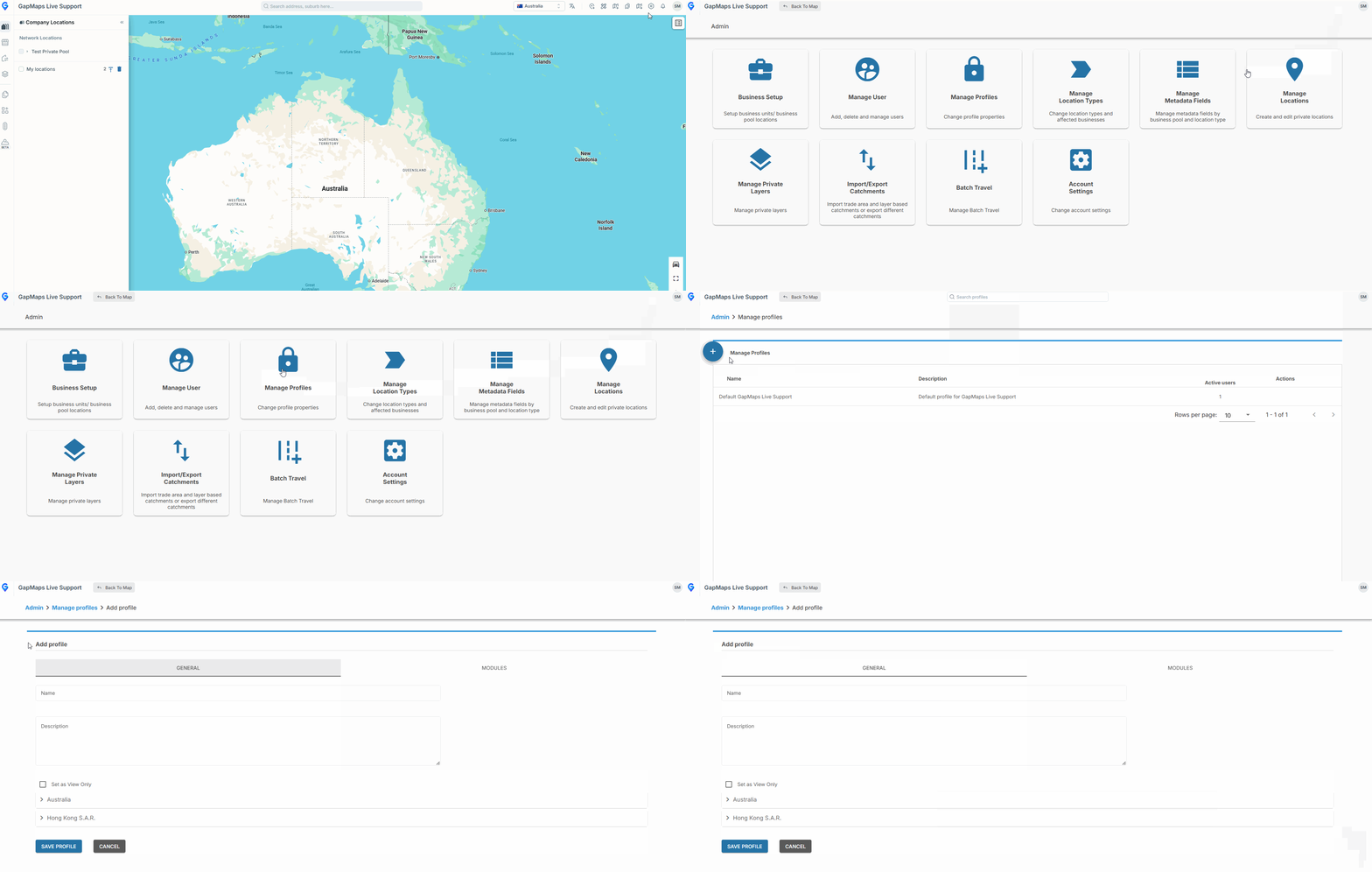
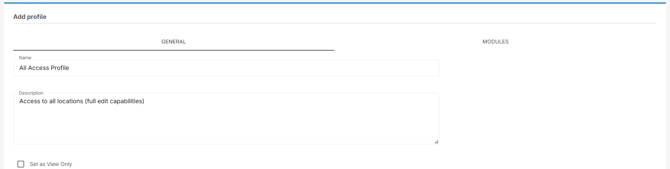
- Under the 'General' menu, set a name and description for the Account User Profile and toggle if this is a view only profile
-
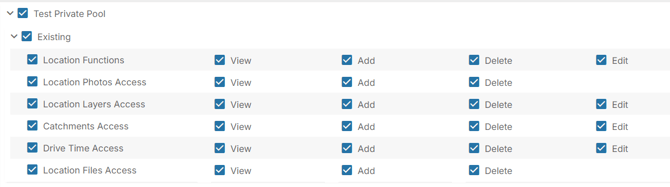
Set which Country/ies and Location Types are viewable or editable when logged into this profile
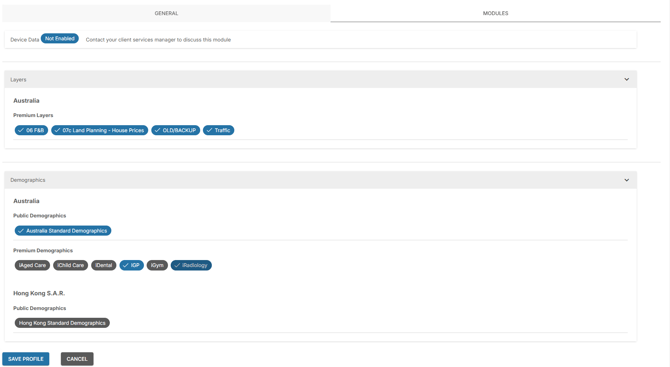
- Under the “Modules” tab, you can add device data credits (if they are enabled), select any premium layers that are viewable by this profile type as well as enabling/disabling the catchment report. Click “Save Profile” at the bottom once you have completed your changes and set up.
- The User Profile Type has now been saved and can now be allocated to a profile when setting up a new user. This User Profile Type can be edited or deleted by selecting the “Edit” or “Delete” symbols under “Actions”

What can be accessed/limited on profiles?
To each business pool and location type, you can toggle access to the below:
|
Location Functions |
The ability to add and edit locations |
|
Location Photos Access |
Ability to add, delete or view photos attached to pins |
|
Location Layers Access |
Ability to add, view or delete location layers attached to pins |
|
Trade Area Access |
Ability to add, edit, delete or view trade areas on pins |
|
Drive Time Access |
Ability to add, edit, delete or view travel time catchments on pins |
|
Location Files Access |
Ability to add, delete or view files attached to pins |